Law practices and conveyancers

Keep client documents, signatures, and matter files moving.

Send costs agreements and letters of engagement for signature, request the documents you need to open a matter, share sensitive files, and reuse approved PDFs without relying on long email threads.

A$19.99/month incl. GST. 4 seats included. No credit card required.

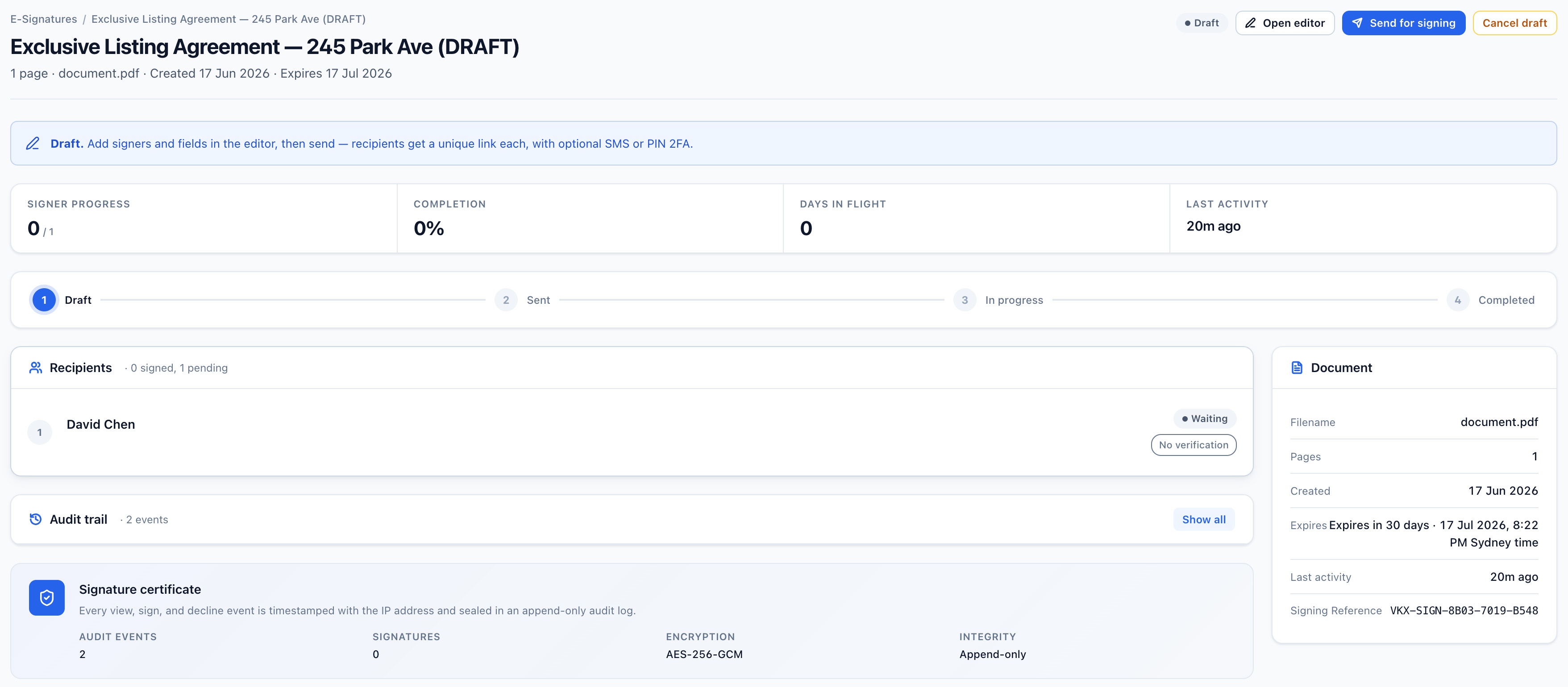
Vukorix E-Sign document overview showing signer progress, audit trail and signature certificate for a document out for signature
Why Vukorix

A clearer document experience for your practice and your clients.

Open matters with less follow-up

Send the costs agreement and disclosure, then request the client documents you need before the file can move.

Keep the matter file complete

Signed PDFs, client uploads, and shared documents stay with the request they belong to, so you can download them into the file store where you keep the matter for as long as your retention obligations require.

Reuse your standard documents

Keep approved costs agreements, terms of engagement, authorities to act, and client consents ready for the next retainer.

E-Sign

Send costs agreements and engagement documents for signature.

Most practices put costs disclosure and a costs agreement in front of the client before the work starts. What has to be disclosed, and when, depends on the matter and on where you practise — the Legal Profession Uniform Law applies in NSW, Victoria and Western Australia, with equivalent requirements in the other states and territories — so check what applies to yours. Prepare the PDF once, notify the recipients, and keep the signed document and audit certificate together. Execution requirements differ by document type and by jurisdiction, so take your own advice on documents that have to be witnessed, sworn or affirmed.

  1. Upload the PDF and place the required fields
  2. Send the signing link
  3. Download the signed PDF and audit certificate
Explore E-Sign →
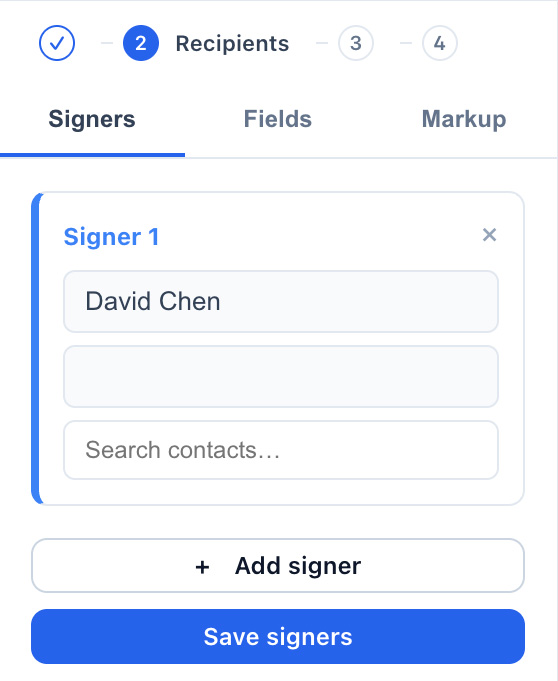
Vukorix E-Sign recipients panel with a signer added and per-signer access-check options
Secure Receive

Collect matter documents through one request.

Give the client one checklist for identity documents, correspondence, evidence, or the conveyancing paperwork you want in hand well before you lodge through an electronic lodgement network such as PEXA or Sympli.

  1. List the required and optional files
  2. Send one client request link
  3. See what has arrived and what remains outstanding
Explore Secure Receive →
Secure Share

Share sensitive matter files without email attachments.

Send a brief to counsel, a settlement statement, or a draft on a controlled link with expiry, view limits, and optional access checks, rather than leaving it sitting in an inbox as an attachment. Your documents and account data are stored in Sydney.

  1. Choose the file
  2. Set the access controls
  3. Send the controlled link
Explore Secure Share →
Vukorix Secure Share access controls showing view limits, optional passphrase protection and recipient verification
For clients

One clear link for the client.

Clients can sign, upload, complete, or access the requested document without creating an account or navigating your practice's internal Vukorix workspace.

Recommended Vukorix tools: E-Sign · Secure Receive · Secure Share · Document Library

FAQ
Can I send costs agreements and engagement documents for signature?

Yes. E-Sign can send costs agreements, costs disclosure statements, letters of engagement, authorities to act, and other PDF documents for signature. Requirements differ by document type and by state or territory, so take your own advice on documents with special execution requirements.

Do clients need a Vukorix account?

For most recipient tasks, no. Clients open the link to sign, upload, complete, or access the requested document.

Can Vukorix collect identity documents?

Yes. Secure Receive can collect certified copies of identity documents and other client-supplied files, but Vukorix does not independently verify identity. Verification of identity to the standard set by ARNECC has its own requirements, and receiving a copy through an upload portal does not meet them.

Does Vukorix determine privilege, admissibility, or professional obligations?

No. Your practice remains responsible for legal professional privilege, admissibility, the conduct rules that apply in your jurisdiction, and the file-retention obligations you carry after a matter closes.

Make matter paperwork clearer for your clients and your practice.

Try every Vukorix product for 7 days. No credit card required.