Real estate documents

Keep agency paperwork moving from listing to settlement.

Send sales agency agreements and tenancy paperwork out for signature, collect what you need from applicants and vendors, share contracts and reports securely, and keep your agency's own PDFs ready for the next listing.

A$19.99 per organisation per month, including GST. 4 seats included. No credit card required.

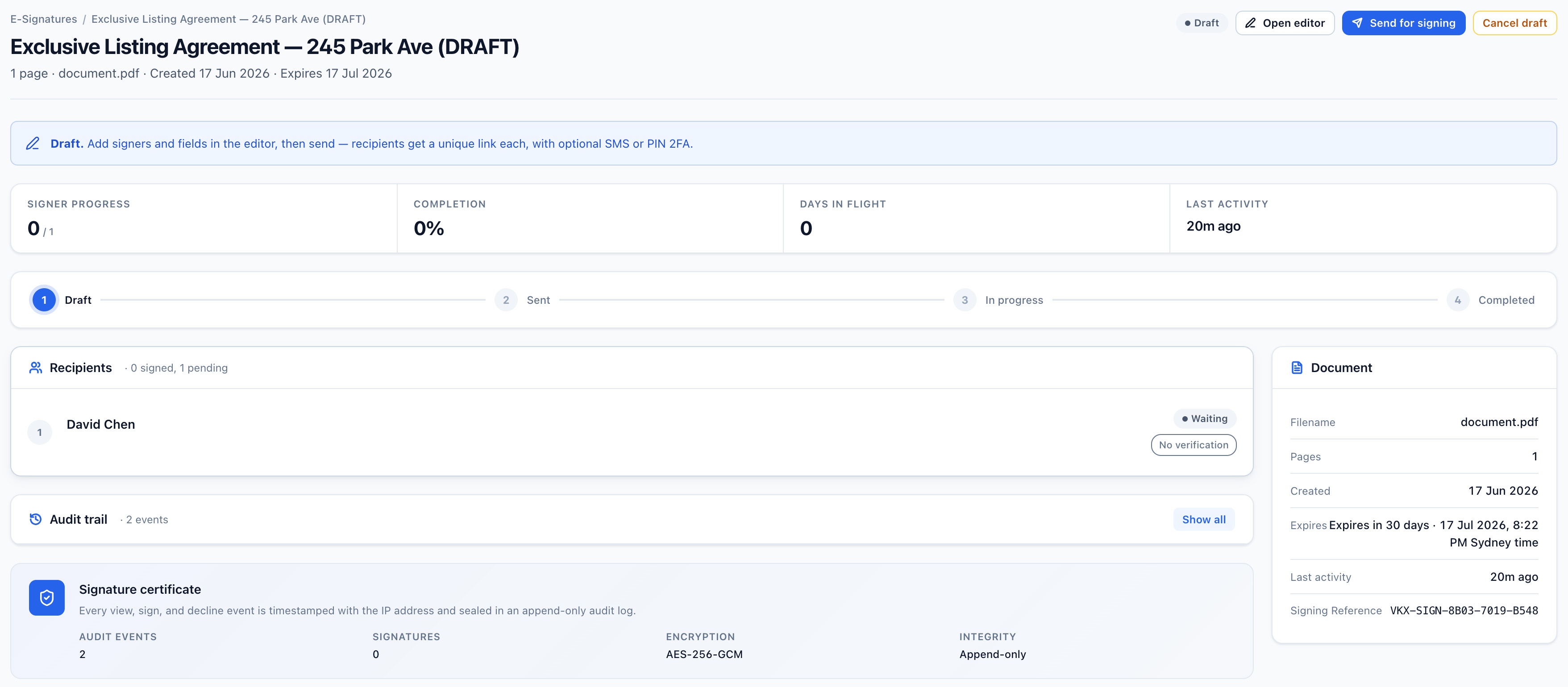
Vukorix E-Sign document overview showing signer progress, audit trail and signature certificate for a document out for signature
Why Vukorix

Move from document request to signed result with less chasing.

Get agency agreements signed

Send your sales agency agreement, exclusive agency agreement or Queensland Form 6 appointment out for signature, and keep the audit certificate with it.

Collect applicant and vendor documents

Give a tenancy applicant or a vendor one checklist for identification, income evidence and the rest of the supporting file.

Reuse your own standard PDFs

Keep your agency's approved documents ready for the next listing or tenancy. Vukorix stores your document set; it does not supply state forms.

E-Sign

Send agency agreements and authorities for signature.

Prepare your own PDF, send it to each party, and keep the completed document with its audit certificate. Electronic signing is commonly used for agency agreements and everyday agency paperwork, but requirements vary by document type and by state or territory, so check with your state or territory fair trading or consumer affairs regulator, or get your own advice, before signing anything with special execution or witnessing requirements. Contracts of sale and title dealings usually sit with the parties' solicitors or conveyancers and an electronic lodgement network, rather than being signed here.

  1. Upload your agency's PDF and place the fields
  2. Send the signing link to each party
  3. Save the signed document and audit certificate
Explore E-Sign →
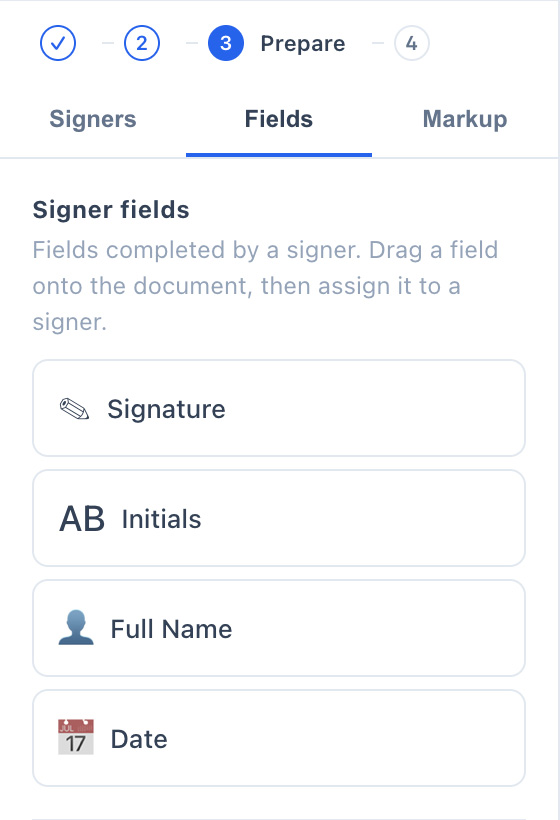
Vukorix E-Sign editor with signature, date and name fields placed on the PDF
Secure Receive

Collect tenancy applications and vendor documents in one request.

Use one checklist for the identification and income evidence behind a tenancy application, or for the signed condition report and bond paperwork you need at the start of a tenancy, before the bond goes to the bond authority in your state or territory. The same request works for the documents a vendor owes you while the sale disclosure is prepared, whether that is a Section 32 vendor statement in Victoria or the equivalent disclosure in your own state or territory.

  1. List the required and optional items
  2. Send one upload link to the applicant or vendor
  3. Review what has arrived and what is outstanding
Explore Secure Receive →
Document Library

Keep your agency's standard PDFs ready to reuse.

Store the documents your agency already uses, from agency agreements and tenancy paperwork to application forms and information sheets, then start a fresh E-Sign draft while the library copy stays unchanged. The library holds your own document set; Vukorix does not supply state forms or keep them current. Your documents and account data are stored in Sydney.

  1. Save the approved PDF
  2. Organise it in the shared library
  3. Start a fresh draft when needed
Explore Document Library →
For clients

One clear task for each vendor, purchaser or applicant.

Recipients get a focused link to sign, upload, complete, or open the document you sent, without creating an account or working their way through your agency's files.

Recommended Vukorix tools: E-Sign · Secure Receive · Document Library · Secure Share

FAQ
Can vendors and applicants sign without a Vukorix account?

Yes. Recipients open the E-Sign link and complete the fields you placed, without creating a Vukorix account. The completed document is returned with an audit certificate.

Can I collect tenancy applications and supporting documents?

Yes. Secure Receive gives the applicant, vendor or client one checklist for identification, income evidence, rental history and any other supporting documents, and shows you what is still outstanding.

Can I share contracts and reports without email attachments?

Yes. Secure Share sends a controlled link with expiry, view limits, and optional recipient access checks, so contracts, condition reports and disclosure documents do not sit in an inbox.

Does Vukorix decide what my state requires?

No. Agency, sale and tenancy requirements differ between states and territories, and Vukorix does not supply state forms or keep them current. You store your agency's own PDFs, and your agency remains responsible for legal requirements, identity checks, privacy duties, and record retention. This page is general information, not legal advice.

Keep agency paperwork moving with less follow-up.

Try every Vukorix product for 7 days. No credit card required.